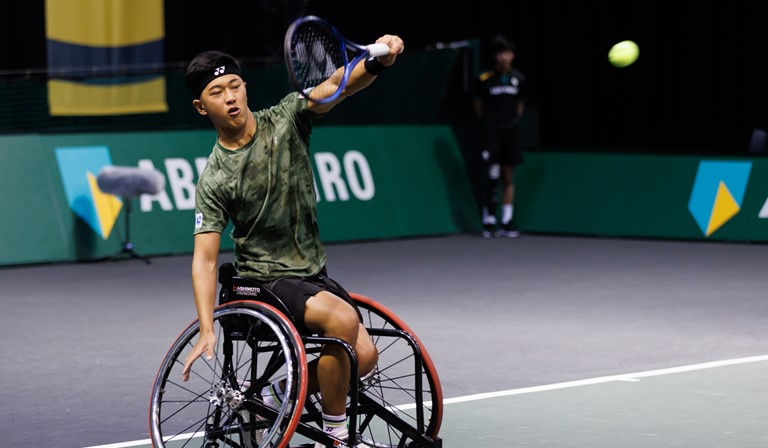
IPIN is the ITF’s online service that allows players competing on the UNIQLO Wheelchair Tennis Tour to enter and withdraw from ITF tournaments, and effectively manage their competition schedule
Click here for a PDF guide to the new online entry system on IPIN
Click here for the key Entry Deadlines on the new online entry system on IPIN
All players competing on the UNIQLO Wheelchair Tennis Tour require an IPIN membership.
Players who register for IPIN membership will receive their own unique IPIN, which will remain the same throughout their career playing in ITF tournaments.
The IPIN online service provides calendar information, instant tournament entry and withdrawal, online payments, entry status and tournament schedules 24 hours a day, 365 days a year and is available in English, French and Spanish.
Click here for a PDF guide to using the new IPIN
Register or login to IPIN
What are the minimum ages players must be to obtain an IPIN?
Wheelchair Tennis Tour does not have an age limit to apply for an IPIN account. The Wheelchair Tour offers events for adults as well as for junior players.
Please refer to the Wheelchair Tennis Regulations, found on our website Tennis Rules and Regulations | ITF for further information on age restrictions.
Do I have to pay for the online service?
To compete in ITF tournaments players must have a valid IPIN. The cost of the professional membership is $45.00 USD.
To join, visit ipin.itftennis.com and click on the 'sign-up now' now option. All memberships must be paid in advance online during the registration/renewal process
How can I pay for the online service?
Payment for the membership fee should be completed online using one of the displayed secure online payment methods. You should, in the first instance, contact the online payment provider you chose, and/or your card issuer, in the event of any payment problems. Please note that cash, cheques and bank transfers are not accepted and the ITF does not store your card details.
When will my Online Service membership expire?
An IPIN membership is valid for 52 weeks after payment.
A player is capable of renewing their membership when there is 2 months or less left on their existing subscription. When eligible to renew, the option will appear in the Subscriptions tab of the MY PROFILE section in your IPIN account.
When will I receive an IPIN?
Once payment is processed, you should receive an automated email confirming your payment. If you have not received this email in your inbox, please check your deleted/junk mail folders and keep this email for your records as it is the only proof/confirmation of payment that will be provided.
Your IPIN ID will be shown on screen in the MY PROFILE section once logged into your account at ipin.itftennis.com (use your email and password you created to login).
When will I be able to use the online service?
Usually, 5 minutes after registering you should be able to login to your account. You should receive an email after registration, but If not just try logging in with your email and password you created during registration.
Can I upgrade my existing membership to include other circuits?
Yes, log into the Online Service and select the Add Circuits button within the My Profile section. You can then choose which additional Circuit to add to your membership depending upon your age. Note an upgrade fee will be required if selecting to add a Circuit which has a higher membership fee, i.e. if choosing to add Pro to an existing Junior membership.
How can I renew my IPIN account?
If your past membership has expired, you will be prompted to renew the membership during your attempt to log into your IPIN account.
If you have an active IPIN account, log into your IPIN account to renew:
- Log into your IPIN account
- Click on MY PROFILE link
- Select SUBSCRIPTIONS option
The renewal option will only show on screen if there is less than 2 months remaining on your current membership.
Payment can only be made online during the renewal process.
I have not received any emails containing information about my IPIN, can I obtain it any other way?
Details are sent out in automated emails, please check your junk mail folders. If you still cannot find the details, contact the relevant ITF Circuit with details of where you got to in your online registration and please include your name and email address used.
Can I change my IPIN registered email address?
You can amend the email address linked to your membership once logged into the Online Service and selecting My Profile option
I am having problems entering or withdrawing online. What should I do?
If you are having problems entering or withdrawing, you must contact the ITF immediately before the relevant deadline so that we can assist you further. You can also download and send the entry or withdrawal form to the ITF, again before the relevant deadline. The forms are available for download from within the Online Service in the Rules & Regs section. NOTE: Junior tournament withdrawals made AFTER the Freeze Deadline must be sent to the tournament supervisor with the ITF in copy prior to the sign in deadline of the respective event.
I accidentally applied for the incorrect IPIN, how can I correct this?
Email the ITF Tour you incorrectly registered/renewed with and explain that you selected the incorrect Tour membership and request a refund (where a fee was paid) and deletion of the membership from your IPIN account.
Attach to your email a copy of the automated payment confirmation email you received.
- Wheelchair: wheelchair@itftennis.com
- Pro: ipin@itftennis.com
- Juniors: juniors@itftennis.com
- Masters: masters@itftennis.com
- Beach: beach@itftennis.com
Once you have received confirmation that the incorrect membership has been deleted, you will then be able to log into your IPIN account to select the correct Tour membership.
I cannot view all tournaments in a chosen week when trying to enter/withdraw, why?
Please check if any search filters have been applied, such as a specific date range, tournament category, etc.
The ITF Wheelchair Tennis Tour receives tournament applications throughout the year so regular checks of the calendar are advised.
Who should I contact if I have forgotten my IPIN and/or password or have other question?
If you need to reset your password, go to Ipin.itftennis.com and click reset password. You can only use the email address currently linked to your IPIN account to reset the password.
If you need further assistance, please contact the team via email on wheelchair@itftennis.com